
Settings
The Settings menu holds your studio preferences and your account details.
UI Settings
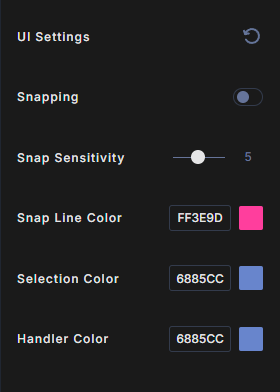
- Snapping: when on, a layer you move or resize snaps to the edges, centers and gaps of other layers. Off by default.
- Snap Sensitivity: from 1 to 20. Higher values snap from further away. The default is 5.
- Snap Line Color: the color of the snap guides and of the drop line when you reorder layers.
- Selection Color: the color of the box you drag to select layers.
- Handler Color: the color of the handles on a selected layer.
Click a color swatch to pick a color, or type a hex value. Click the reset icon next to UI Settings to put everything back to its default.
Account & Credits
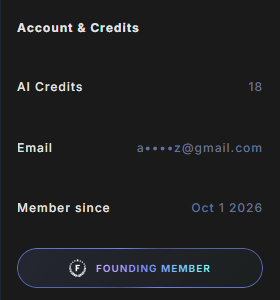
- AI Credits: credits left today for AI background removal. They refresh every day. See Plans and AI credits.
- Email: your sign-in email, partly hidden.
- Member since: the date your plan started.
- Access and Expiration: your plan and the date it ends. Founding Members see a Founding Member badge instead, because their access does not expire.
Clear Cache and Log Out
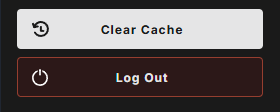
- Clear Cache deletes the resources Wondr has stored in your browser, such as templates, fonts and 3D environments, so fresh copies download. It also logs you out.
- Log Out signs you out of Wondr.
Help and support
Click the Wondr logo at the bottom of the toolbar to see the support email, support@createwondr.io.